PRO

How do I create a season?

What are the seasons for?

- Within the seasons you determine when he resource can be booked


- You can also block certain dates. Your club is closed on Sundays? No problem, you can disable booking for the resources. 

Tað finst einki svar upp á hendan spurningin, ið er relatert til nýtsluna av holdsport frá appini.


Now the seasons have to be defined.  

  1. Click on  Club
  2. Click on  Booking in the overview on the left side
  3. Go to the subcategory Seasons 
  4. Click on the green button Create Season 
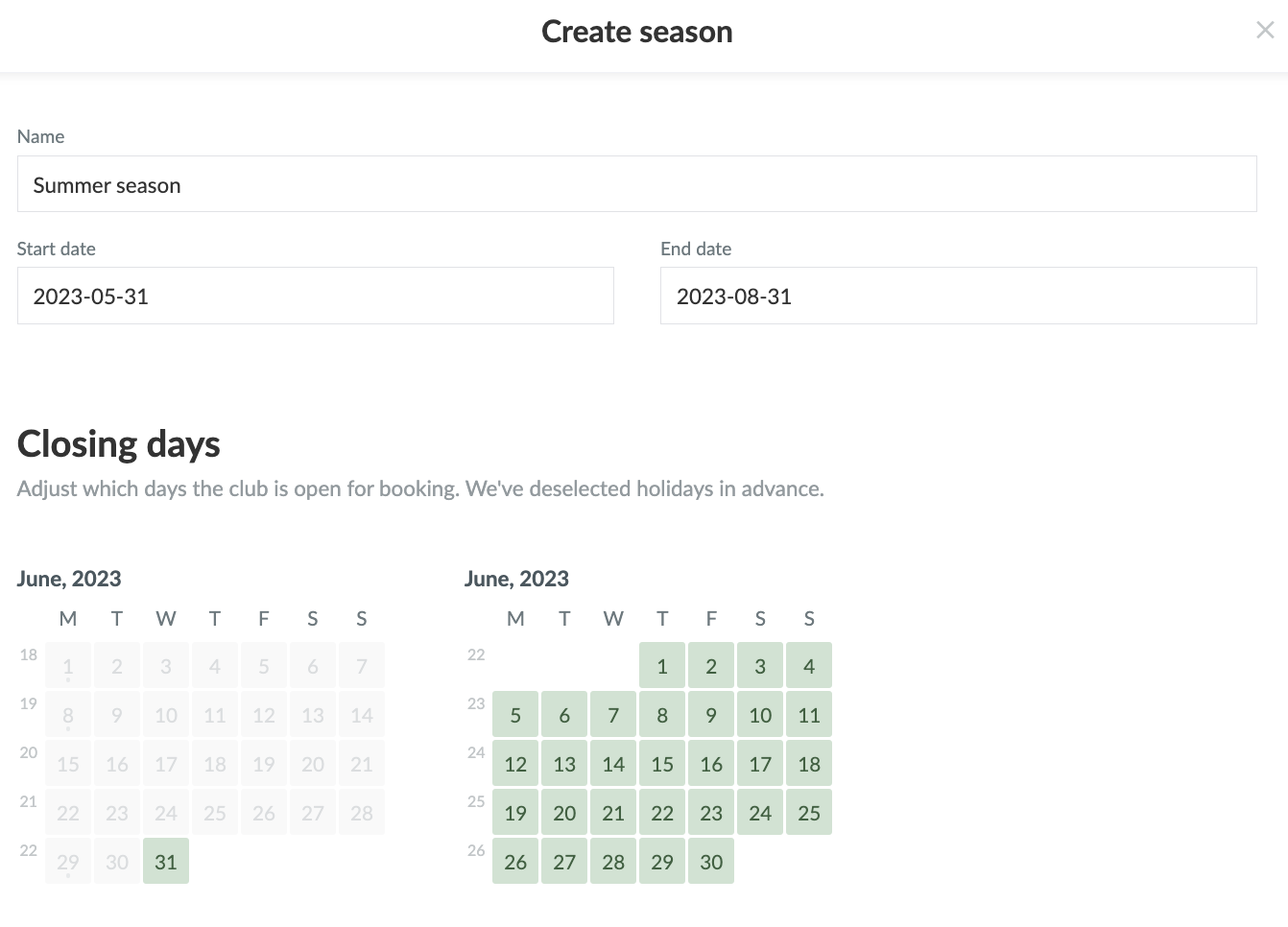
  5. Enter the name and start/end date of the season 
    1. You can choose days off when the resource is unavailable.
  6. Click Create


Then you go to Show season template to specify when members can book.

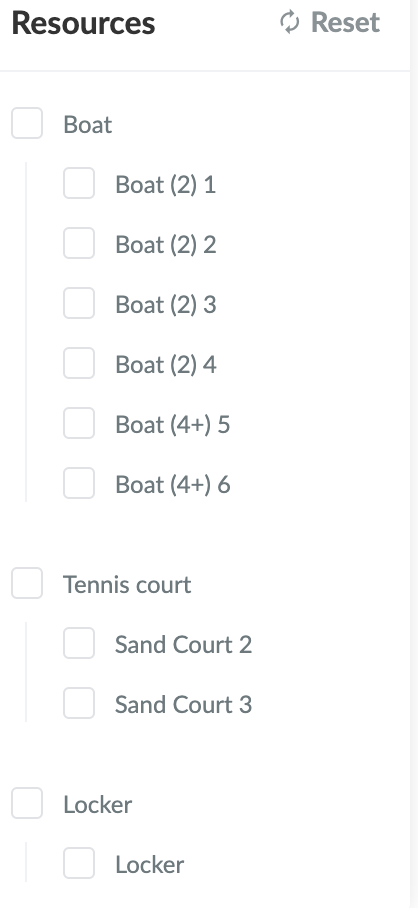
Under Resources on the right side of the screen, you can select which resource you want to determine the availability for.
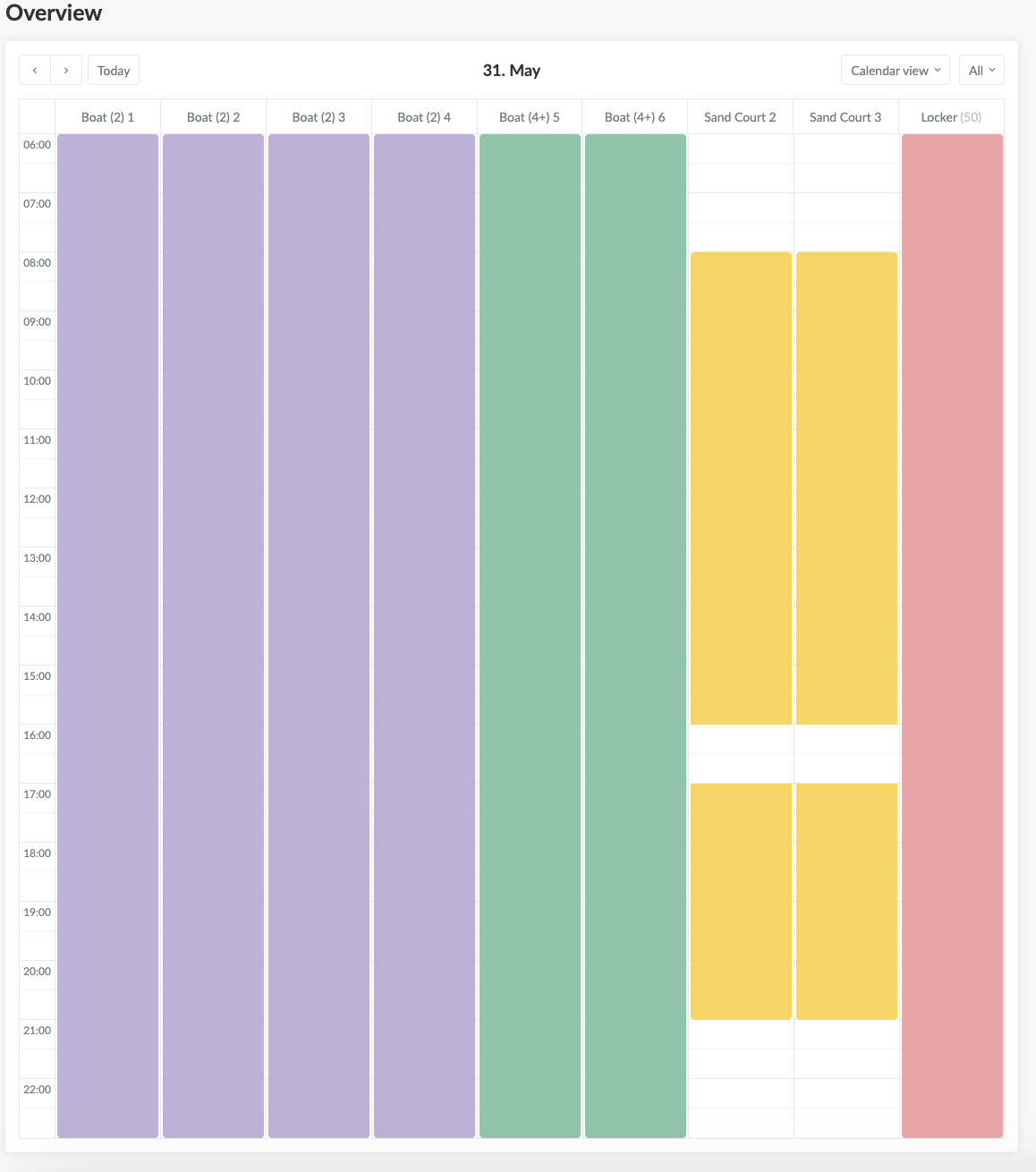
Enter in the calendar when this resource is available. Click on the start time and drag the mouse to the desired end time. In the selected time frame, members are then able to book the resource.

Var henda greinin brúkilig?
0 av 0 halda hetta var brúkiligt

Klar til at koma í gongd?

Kanna holdsport, ella stovna ein kontu beinanvegin og byrja at umsita títt felag. Tú kanst eisini seta teg í samband við okkum fyri at fáa hjálp við uppsetingini av tínum felag.
Hvat kostar tað?
Hvørjar tørvir hevur títt felag? Basis ella PRO hald?
Prísir
Funku yvirlit
Einki 2 feløg eru eins. Okkara funkur dekka tín tørv.
Funku yvirlit