How do I create new activity types?

Why define your own activity types in the club?

- Allows to create activities in the club/on the teams, which are displayed with its own color in the calendar


- Only the club administrator can create activity types


- Coaches/club administrators can then create activities with new activity types


- Coaches/club administrator/members/parents can now sort by activity type in the club/team calendar
Tað finst einki svar upp á hendan spurningin, ið er relatert til nýtsluna av holdsport frá appini.


Open Club Settings and Calendar

  1. Click on  Tools in the bottom left corner
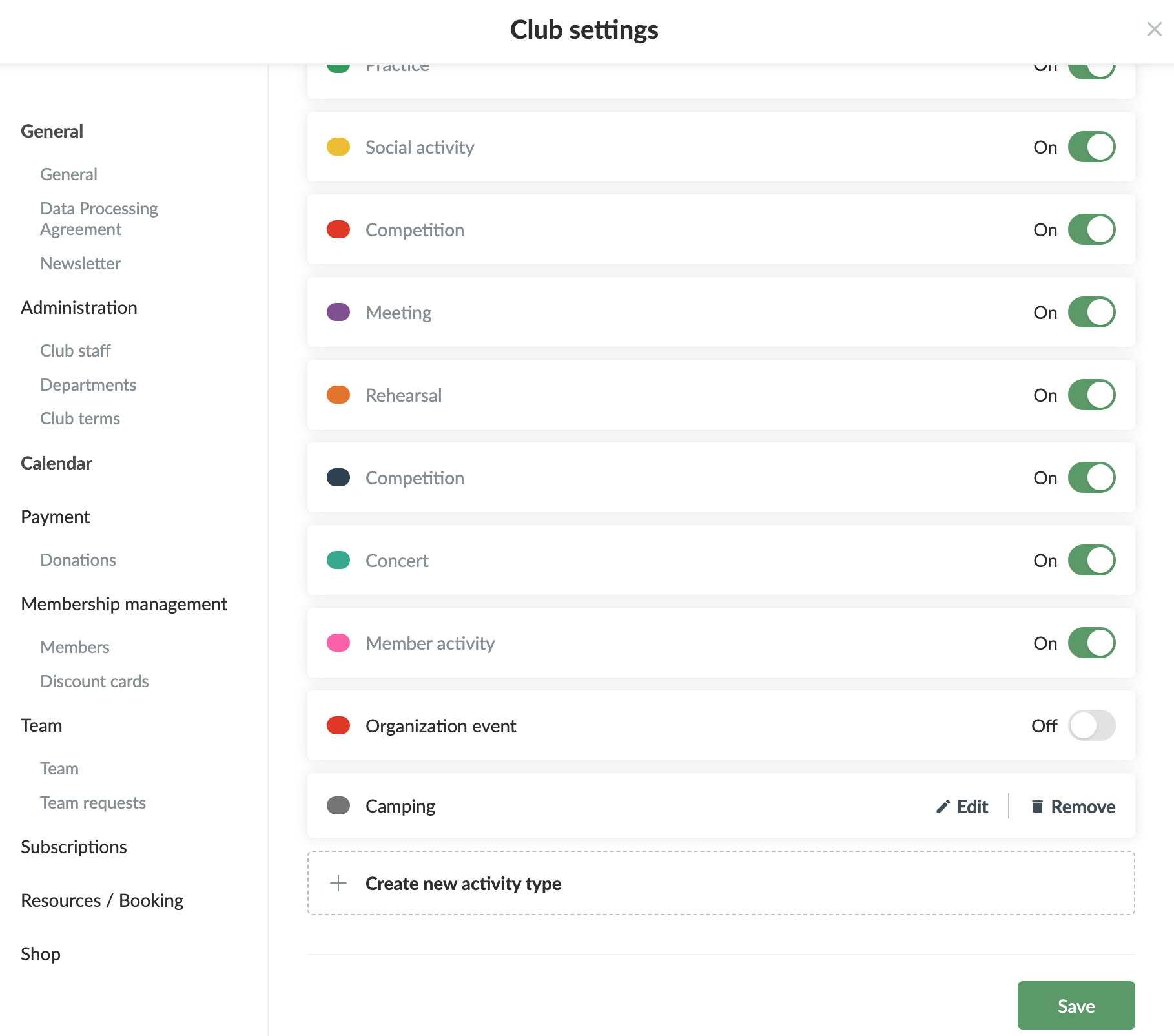
  2. Click on Club settings
  3. Click on Calendar on the left

Create new activity type

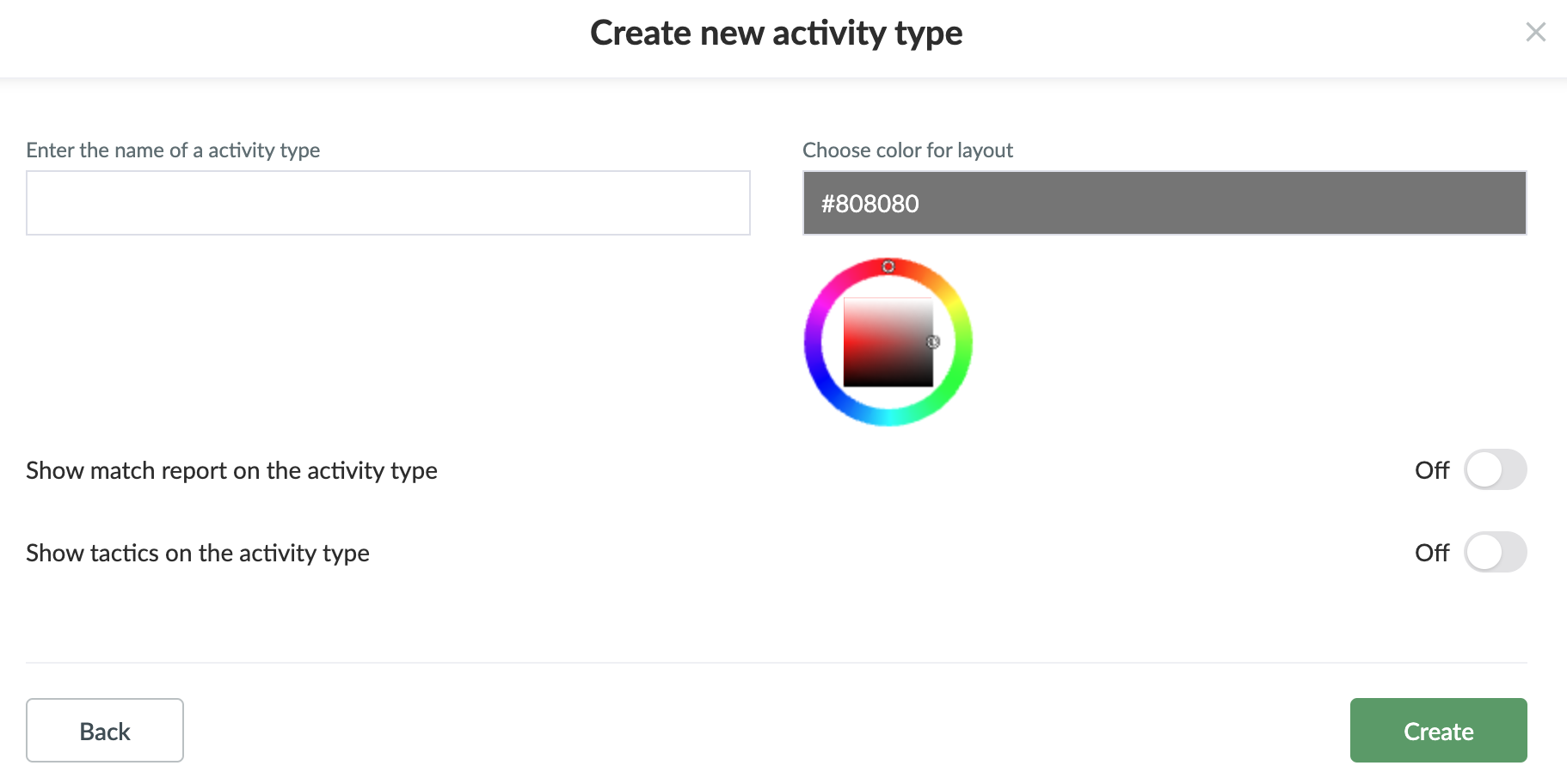
  1. Click on Create new activity type
  2. Enter the name of the activity type and the colour
  3. You can activate match report and/or tactics
  4. Finish with Create

Edit activity type

  1. Click on  Edit next to the specific activity type
  2. Change name/colour and finish with Update


TIPS: You can turn off the standard activity types that are not relevant for your sport

Var henda greinin brúkilig?
0 av 0 halda hetta var brúkiligt

Klar til at koma í gongd?

Kanna holdsport, ella stovna ein kontu beinanvegin og byrja at umsita títt felag. Tú kanst eisini seta teg í samband við okkum fyri at fáa hjálp við uppsetingini av tínum felag.
Hvat kostar tað?
Hvørjar tørvir hevur títt felag? Basis ella PRO hald?
Prísir
Funku yvirlit
Einki 2 feløg eru eins. Okkara funkur dekka tín tørv.
Funku yvirlit