PRO

How do I upload sponsor banners?

What can I use sponsor banners for?

- Upload unlimited banners to be displayed to everyone in the club across platforms (PC/tablet/mobile)


- Sponsor banners/club banners/advertise upcoming events etc.


- Increase exposure, visibility and help improve revenue for your sponsors

Tað finst einki svar upp á hendan spurningin, ið er relatert til nýtsluna av holdsport frá appini.


Open Club Overview and Banner Management

  1. Click on  Club on the top left
  2. Click on  Banner management 
  3. Click on Upload banner at the top right of the screen
  4. Insert file in one of these 3 formats:
  • Leaderboard:
    • Banner placed at the top of the page, which can be seen when using a computer
    • MUST be 728x90 pixels
  • Skyscraper:
    • Banner located on the right side, which can be seen when using a computer
    • MUST be 160x600 pixels
  • App and mobile:
    • Banner displayed on mobile
    • MUST be 320x160 pixels

Note: All formats can be of the file types JPG, JPEG, PNG, GIF or SWF
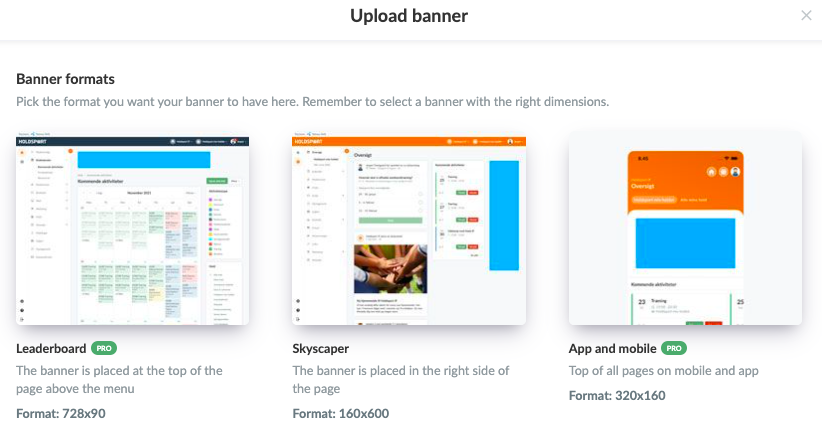
Note: All formats can be of the file types JPG, JPEG, PNG, GIF or SWF
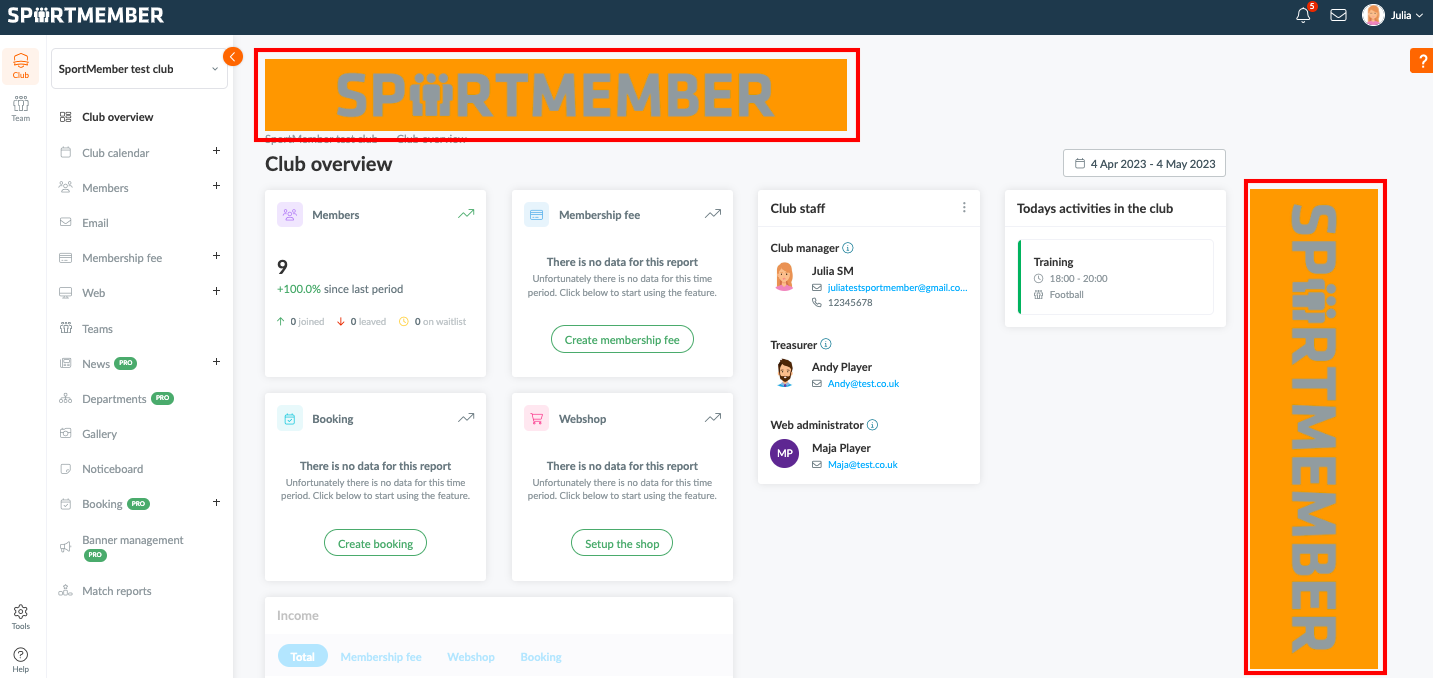

Here's how both computer banners are displayed at the top/side, regardless of whether you are a club administrator, member, player or parent

  • TIP: Any number of banners can be uploaded, which will then be displayed equally to all members of the club.
Var henda greinin brúkilig?
0 av 0 halda hetta var brúkiligt

Klar til at koma í gongd?

Kanna holdsport, ella stovna ein kontu beinanvegin og byrja at umsita títt felag. Tú kanst eisini seta teg í samband við okkum fyri at fáa hjálp við uppsetingini av tínum felag.
Hvat kostar tað?
Hvørjar tørvir hevur títt felag? Basis ella PRO hald?
Prísir
Funku yvirlit
Einki 2 feløg eru eins. Okkara funkur dekka tín tørv.
Funku yvirlit