How do I make a parent a coach in my club?

How do I make a parent a coach/member of my club?

- As an administrator, you can invite a parent who already has a profile in SportMember to become part of the club


- The parent can be invited as a member of a team or as a coach.


- The invitation is sent via email and the parent can accept it with their existing profile.

Tað finst einki svar upp á hendan spurningin, ið er relatert til nýtsluna av holdsport frá appini.

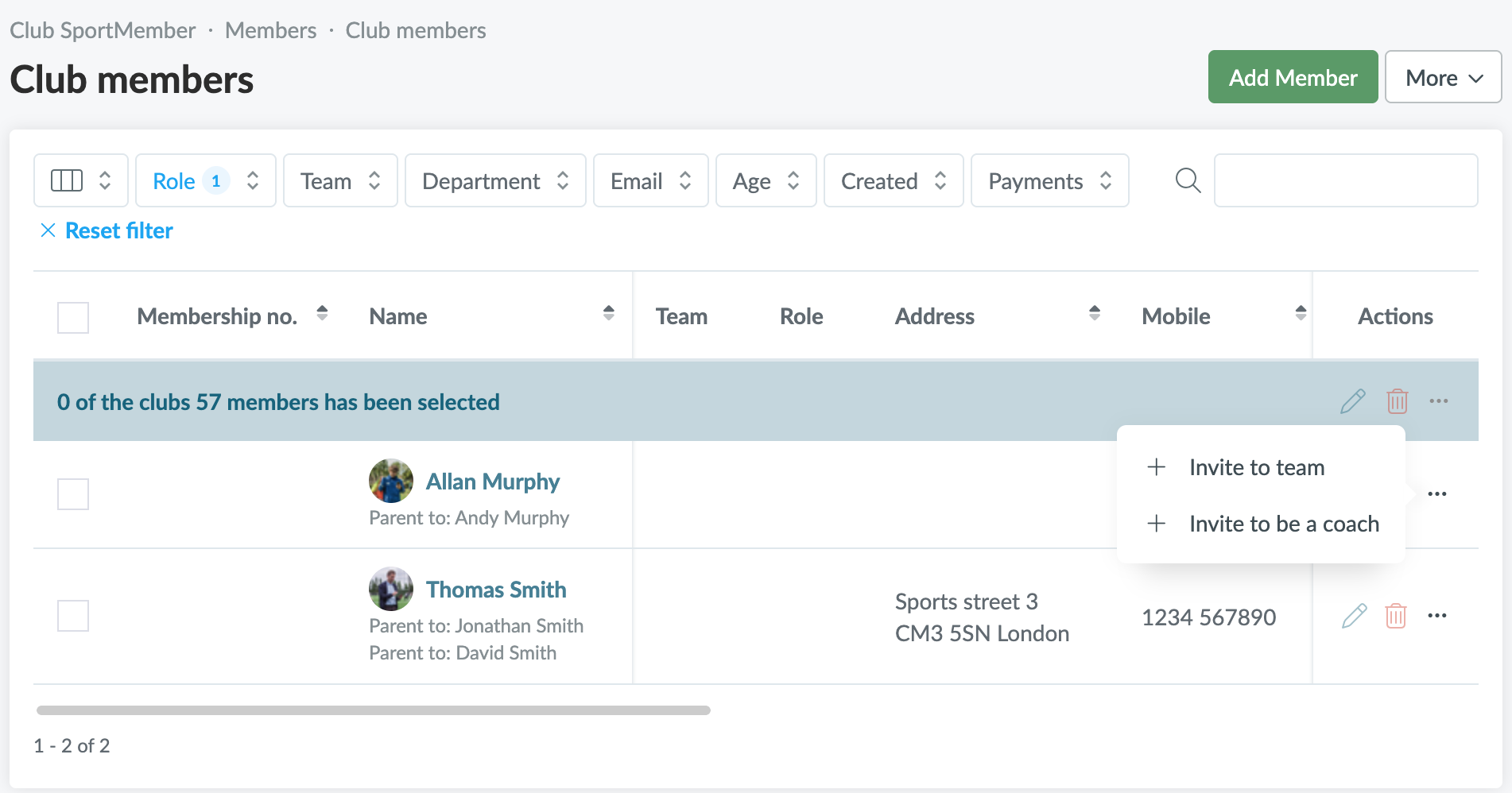
Go to club Members

  1. Click on  Club in the top left corner
  2. Click on Members
  3. Filter by Parents under Role
  4. Find the desired parent and click on 
    You will get 2 options:
    a. Invite to team: the parent joins the team as a member/player
    b. Invite to be a coach: the parent becomes a coach on a team
  5. Then select the team that the parent will be a part of.
  6. Finally, add a comment to the invitation email and press Send


The parent will receive an invitation via email and can accept it with their existing profile. When the invitation is accepted, they will be registered both as a parent and as a member or coach on the same profile.


TIP: If the parent should be a team leader, you can always invite them as a member and then change their status to team leader when they are added to the team


Var henda greinin brúkilig?
1 av 1 halda hetta var brúkiligt

Klar til at koma í gongd?

Kanna holdsport, ella stovna ein kontu beinanvegin og byrja at umsita títt felag. Tú kanst eisini seta teg í samband við okkum fyri at fáa hjálp við uppsetingini av tínum felag.
Hvat kostar tað?
Hvørjar tørvir hevur títt felag? Basis ella PRO hald?
Prísir
Funku yvirlit
Einki 2 feløg eru eins. Okkara funkur dekka tín tørv.
Funku yvirlit