Can I import fixtures from Excel?
Tað finst einki svar upp á hendan spurningin, ið er relatert til nýtsluna av holdsport frá appini.
Open Calendar and Import fixture
- Click on in the top left corner
- Click on Calendar
- Click More on the right
- Click on Import fixture
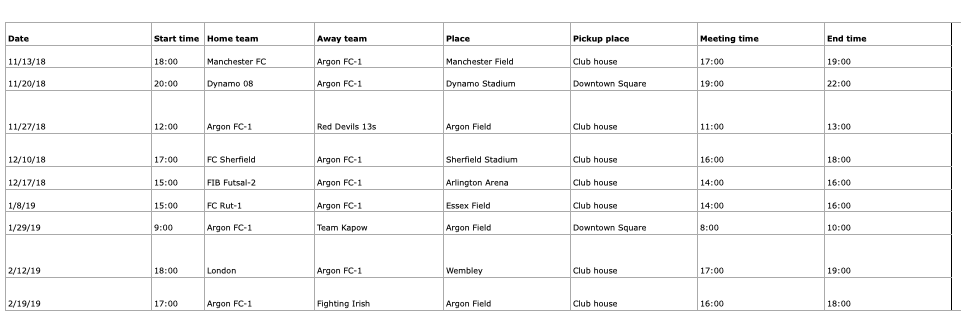
- Click om Create from Excel sheet (possibly downloaded from your federation's website)
- TIP: We recommend that you click Download example and follow the template strictly to avoid errors in the fixture import.
In addition, you need to consider the same conditions as when you normally create an activity manually:
- Registration type
- Maximum number of participants
- Whether registered coaches count in the number of participants
- Whether or not to hide the unregister button for registrants
- Reminder either 2 and/or 5 days before activity
At the bottom, click on Select file and load the Excel file.
Finish with the orange Import button and your calendar will now show the activities.
Var henda greinin brúkilig?
0 av 2 halda hetta var brúkiligt