Tað finst einki svar upp á hendan spurningin, ið er relatert til nýtsluna av holdsport frá appini.
Open Club members
Click on Club on the top left corner
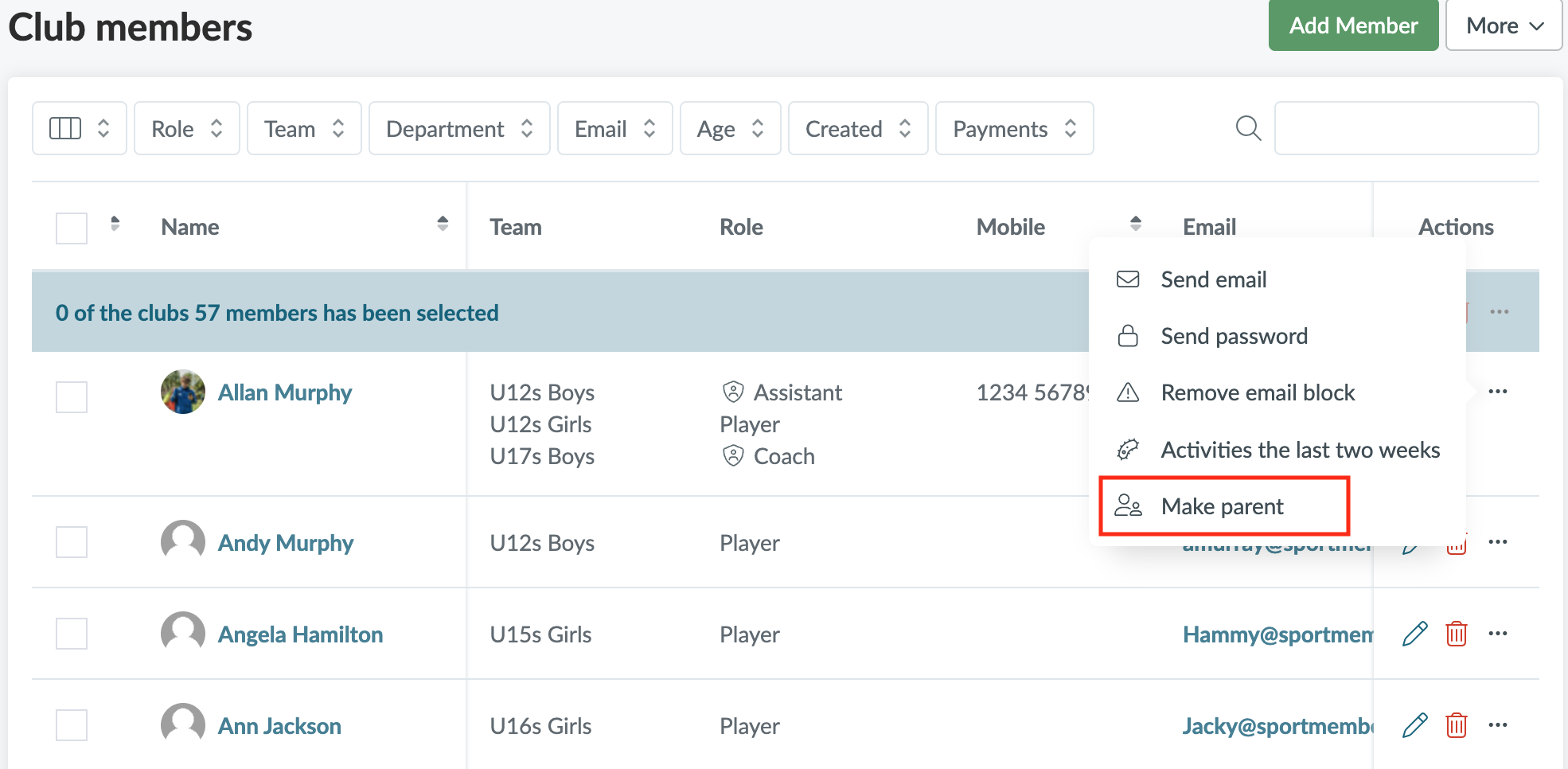
Click on Members and find the person you want to create as a parent
Then click on
Click on Make parent
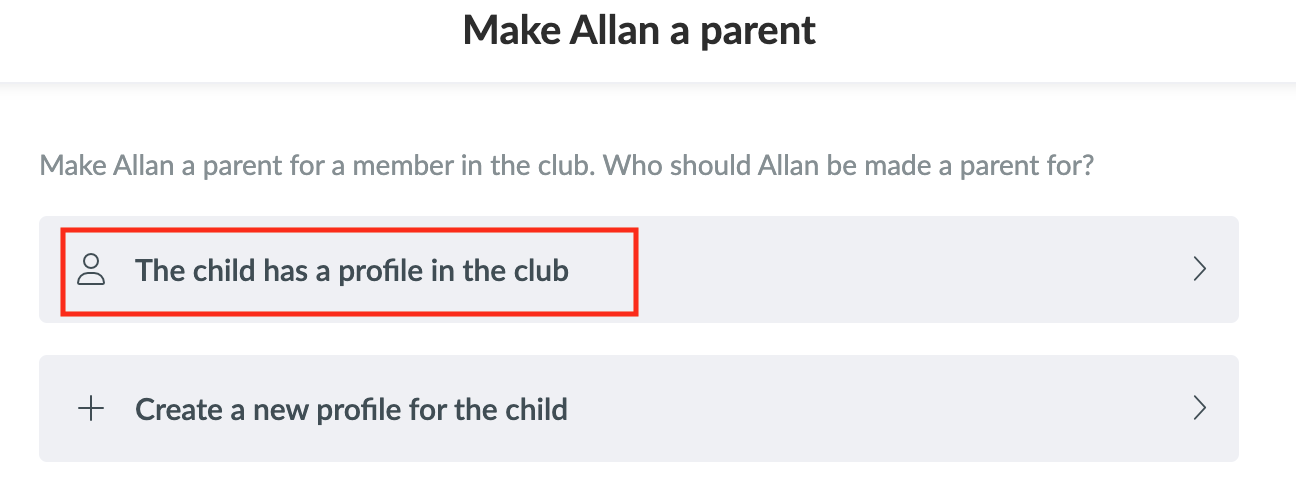
Then click on The child has a profile in the club, if the child is already registered as a member in your club
Then, search for the child's name in the search bar and click on Create
A confirmation email will be sent to the member. Once the member has confirmed the connection, you will be able to see the parent/child relationship in your member list by filtering by Parent.
NOTE: Sometimes a parent may accidentally create a member profile for themselves instead of their child. In this case, after clicking The child has a profile in the club and finding the child in the club, you can activate Remove X from the club afterwards. The parent will be removed as a member in the club but will keep their parent profile
Kanna holdsport, ella stovna ein kontu beinanvegin og byrja at umsita títt felag. Tú kanst eisini seta teg í samband við okkum fyri at fáa hjálp við uppsetingini av tínum felag.